The 5 Plays Layouts + Captions Examples Who It Is For What Is Inside Before You Buy FAQ Get It: $7
The Creator Playbook for AI Clipping

1 STREAM.
ENDLESS
CLIPS.

CLIP. SCHEDULE. POST.

A skill file plus a Python toolkit that turns your AI agent into a clipping system. It finds the moments, frames the crop, makes the cut, checks every file, and hands you clips that are ready to post.

Still scrubbing VODs?
Stop hunting. Run the plays.
Buy for $7 →

USD, one time. Instant digital download.
No subscription. The clips are yours.

THE WORKFLOW

5 PLAYS. RUN THEM IN ORDER.

Every clip runs the same five plays. Flip through them. Each play is a scene from the actual toolkit, with the actual script that runs it.

PLAY 01

Find the moment

moments.py

The whole VOD gets scanned at once. Candidate moments light up where the signals stack: what was said, how loud it got, and where the audience reacted. You review a shortlist instead of scrubbing hours of timeline.

  • Whisper transcript
  • Loudness jumps
  • Hype words
  • Dense talking
  • Chat spikes
  • YouTube most replayed
MOMENTMOMENTMOMENT
"and then he turns the corner and NO WAY, chat is going crazy, everybody is spamming W right now, that was the play of the whole stream..."

Signals stack up, the moment lights up. That is the shortlist your agent hands you.

INPUT: ONE FULL VOD
PLAY 02

Pick your frame

crop sheet

Vertical is a framing decision, not a blind center crop. The toolkit builds a crop sheet: the same moment in three vertical framings, side by side. You pick the one that keeps the subject whole and centered, by eye, in seconds.

  • 3 crops, one moment
  • Facecam aware
  • Pick by eye
  • No sliced subjects
CROP ASubject drifts left, half out of frame
CROP BPICKWhole subject, centered, headroom
CROP CPunched in too tight, action lost

Same moment, three frames. One look tells you which crop ships.

PLAY 03

Make the cut

cut.py

One command applies the whole look to the clip: layout, caption style, hook treatment, pacing, and your brand. Jump cuts tighten the dead air, speed ramps hit the payoff, and your colors, logo, and CTA ride on every export.

  • 7 layouts
  • 5 caption styles
  • 4 hook styles
  • Jump cuts
  • Speed ramps
  • Brand colors
  • Logo
  • CTA
FULL + CAM
STACKED
GAME ONLY
SPLIT
CAM CORNER
ZOOM PUNCH
FACE FIRST
ALL 7 IN THE FULL BREAKDOWN BELOW
STYLE 1Bold Impact
STYLE 2karaoke word pop captions
STYLE 3Clean minimal, easy to read
PLAY 04

Pass QA

qa.py

Nothing ships on vibes. Every finished clip runs a QA pass and gets a report. Specs, loudness, picture, and captions all get checked, and the clip only moves forward when it passes. If it fails, you know exactly what to fix.

  • Resolution + fps
  • Duration
  • -14 LUFS + true peak
  • Black frames
  • OCR caption check
  • 9:16 safe zone

QA REPORT: ATV_ESCAPE.MP4

Resolution 1080 x 1920PASS
Frame rate 29.97 fpsPASS
Duration 0:39PASS
Black frames: none foundPASS
Loudness -14.2 LUFSPASS
True peak -1.3 dBTPPASS
PASS
LOUDNESS
-14.2 LUFS / TP -1.3

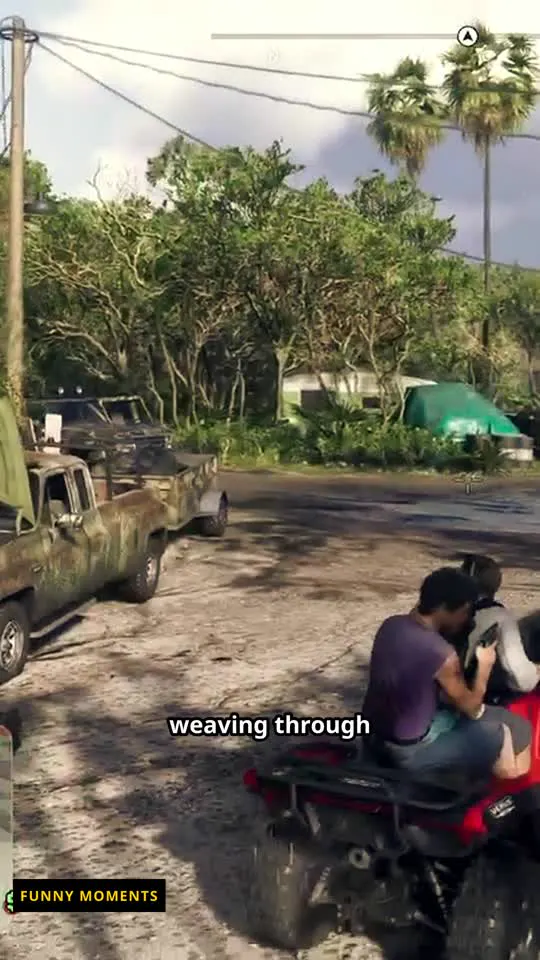
Measured on the real ATV Escape clip. qa.py runs these checks, plus caption OCR and the safe zone, on every export.

PLAY 05

Go wider

localize.py

A clip that works once can work again in another language. The same cut gets duplicated with translated captions, so one moment reaches a second audience without a second edit session.

  • Same cut, new captions
  • Spanish included
  • One moment, two audiences
EN: ORIGINAL
The room went silent
then everybody screamed at once
→
ES: LOCALIZED
La sala quedó en silencio
y luego todos gritaron a la vez

Same frames, same pacing. New captions, new audience.

THE LOOK

LAYOUTS + CAPTIONS, SHOWN NOT LISTED

This is the part most clipping tools skip. The framing and the caption treatment are the style. Here is what the toolkit actually puts on screen.

7 layouts

Full frame with cam, stacked, split, corner cam, zoom punch, face first, game only. Swap per clip or lock one as your signature.

FULL+CAM
STACKED
SPLIT
CORNER
ZOOM
FACE 1ST
GAME

5 caption styles

Rendered live, the way they sit on the clip:

IMPACTBOLD IMPACT CAPS
KARAOKEword by word pop
MINIMALClean and quiet, lets the play talk
NEON POPLOUD COLOR, BIG ENERGY
BOXEDHigh contrast box captions

4 hook styles

The first two seconds decide the swipe. Pick the opener treatment per clip:

He said WHAT?!SHOCK LINE
Wait for the last secondOPEN LOOP
Chat lost it at this momentREACTION FRAME
Nobody clips this partDIRECT CALL
EXAMPLE OUTPUTS

THE CLIPS, FRAME BY FRAME

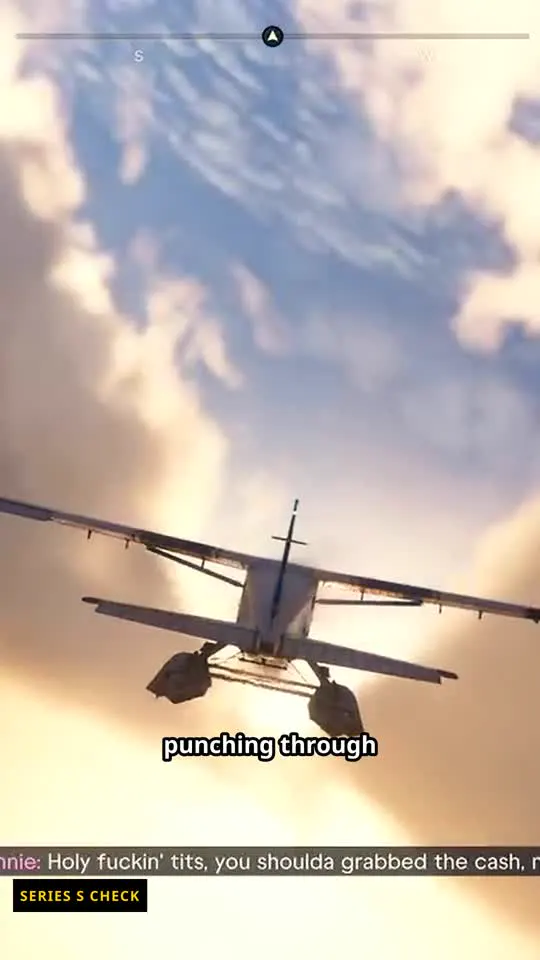
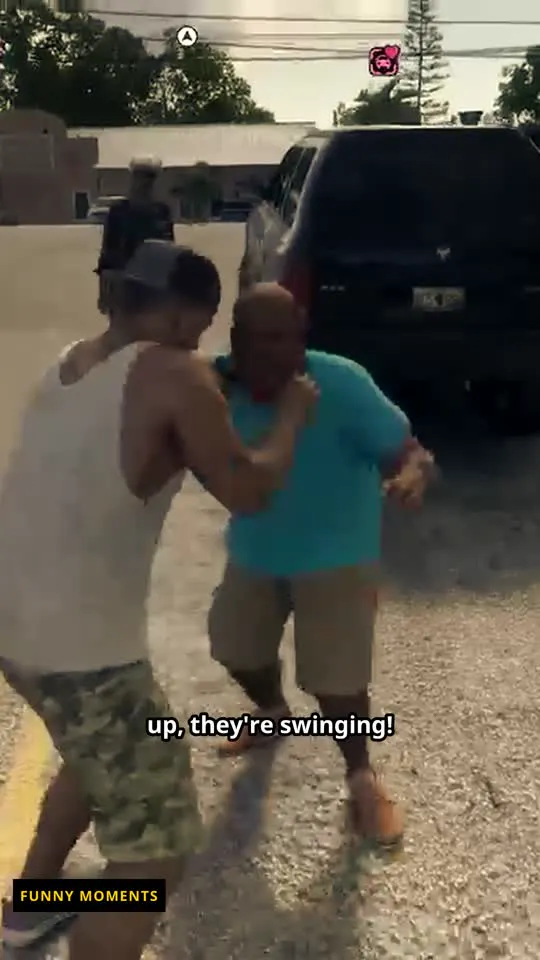
Three cuts from Kai Cenat's GTA 6 stream and the five Supreme5str GTA VI finals. These are the real finished clips, playing muted, with the hooks and captions they shipped with.

The Kai Cenat clips were cut from his public stream for a clipping campaign, using our own version of this workflow. Kai Cenat is not affiliated with this product and does not endorse it.

THE ROSTER

WHO RUNS THESE PLAYS

ST

The Streamer

You stream it, you should own the clips from it. Cut your own Twitch VODs and facecam sessions into a steady run of short form posts without hiring anyone or scrubbing timelines at 2 AM.

INPUT: your Twitch VOD + facecam
OUTPUT: Shorts / Reels / TikToks / X posts
CL

The Clipper

You cut for creators and campaigns. Run the same five plays across permitted footage and ship consistent, QA checked clips at a pace manual editing cannot match.

INPUT: permitted creator footage
OUTPUT: campaign ready vertical clips
PERMISSION FIRSTBATCH FRIENDLY
ED

The Editor

Long form is your raw material. Podcasts, webinars, testimonials, and walkthroughs become short clips in every ratio the platforms ask for, from one source file.

INPUT: podcast / webinar / testimonial
OUTPUT: multi ratio clip sets
9:161:14:516:9
UNBOXING

EVERYTHING IN THE DOWNLOAD

Laid out like it lands on your desk. One zip, everything below, nothing else to buy.

START HERE

The skill file

The file your agent follows. It carries the whole workflow: the five plays, the order, and the rules, so Claude Code or Cursor runs the system the same way every time.

TOOLKIT FOLDER

Python scripts

The scripts that find the moments, cut the clips, check them and translate them. The engine under the playbook.

8 FILES

Style presets

Eight ready made looks that combine layout, captions, and hooks. Use one as is or fork it into your own.

PROFILES

Game + streamer profiles

Saved settings per game and per streamer, so framing and signals match the footage in front of you.

BRAND

Brand template

Your colors, logo placement, and CTA, set once and applied to every clip the toolkit exports.

ASSETS

Fonts + sound effects + face model

The display fonts the caption styles use, a sound effects set for cuts and hits, and the YuNet face model that keeps facecam framing locked on the subject.

REFERENCES

Style keys + hook patterns

Reference files with style keys, hook patterns, platform specs for each output, and the rights guide.

SETS ITSELF UP

Installers

One for Linux and macOS, one for Windows. Easiest way: open the folder in your agent and say "set yourself up." It runs the right one and tells you if anything is missing.

GUIDE + LICENSE

Buyer guide + license

The buyer guide as a readable file and a PDF, plus the license in plain text: personal and commercial use covered, clips are yours.

TOTAL DOWNLOAD: ABOUT 0.8 MB
BONUS PLAYS

OFF BY DEFAULT. YOUR CALL.

Optional extras ship in the package switched off. Turn on only what your setup can carry. Flip a switch to see what each one adds.

Game sound signals

Gunfire, explosions, laughter, and cheering plus reaction become extra moment signals for Play 1.

STATUS: OFF. ADDS ABOUT 1.3 GB IF YOU TURN IT ON.

Twitch chat spikes

Feed a chat log from the free TwitchDownloaderCLI into the moment finder and let chat spikes flag the peaks.

STATUS: OFF. CHAT LOG TOOL NOT INCLUDED, IT IS FREE TO GET.

Save your own profiles

Store your facecam position, colors, and logo once, then reuse them on every future clip.

STATUS: OFF UNTIL YOU SAVE YOUR FIRST PROFILE.

Run it by hand

No agent required. Every script runs solo from the command line if you would rather drive it yourself.

ALWAYS AVAILABLE. NOTHING TO TURN ON.

BEFORE YOU BUY

THE HONEST CHECKLIST

  • ✓Python 3.12 or newerThe toolkit runs on it. Free to install.
  • ✓ffmpeg and ffprobe with libass on PATHLibass is what burns the styled captions in.
  • ✓About 1 GB of space, plus the Whisper model at about 480 MBThe download itself is only about 0.8 MB. The models are the weight.
  • ✓CPU works. No GPU neededA GPU speeds things up. It is not required.
  • ✓Claude Code, Cursor, or a similar agent for the guided workflowOr skip the agent and run the scripts yourself.
  • ✓Linux tested. macOS and Windows not yetThe macOS installer has not been tested yet. Windows support is beta.

The rights rule

Only clip footage you own, have permission for, or that is openly licensed.

Credit is not permission. A shoutout in the description does not make footage yours to use. Music inside a clip can still trigger claims on the platform, even when the footage itself is fully cleared.

The package includes a rights guide in the references. Read it before you clip for anyone else.

QUESTIONS

STACKED + ANSWERED

How do I get it?+
Checkout runs through Stripe. After payment, you get an email with a Google Drive zip download and the buyer guide. Unzip it, open the folder in Claude Code or Cursor, and tell it to set itself up. It runs the installer for your system and flags anything missing, like ffmpeg.
Does it post for me?+
No. Nothing is uploaded or posted by the toolkit. You get finished clip files plus the QA report, and you post them yourself on your own accounts and schedule.
Do I need Claude Code or Cursor?+
Only for the guided workflow, where the agent follows SKILL.md and runs the plays with you. Every script also runs solo from the command line, no agent required.
Will this get me views or money?+
No promise, and anyone who promises that is selling you something else. Results depend on your footage, your choices, and the platforms. This gives you a repeatable system and finished, checked files. What they earn is up to the work and the audience.
Can I use it for clients?+
Yes. The license covers personal and commercial use, and the clips you make are yours. What you cannot do is share or resell the package itself.
Is any of it open source?+
Parts of it, yes, and the credits ship with it. Portions are adapted from gtavi-claudecode by Bodila51 under the MIT license. The fonts Anton, Archivo Black, and Poppins are under the SIL Open Font License. The YuNet face model is MIT licensed.